Digital audio buying guide
Best DACs for the connections you actually use
Start with source, output, and volume control. Format badges come after the system can connect safely.
Researched from manufacturer specifications, manuals, support records, and current US/European specialist listings. We did not hear, measure, level-match, or electrically test these DACs.
Bottom line: iFi ZEN DAC 3 is the tidy USB desktop choice. FiiO K11 R2R adds optical and coaxial inputs at a lower-cost hub level. Cambridge Audio DacMagic 200M is the component-system choice with multiple digital inputs, Bluetooth, RCA/XLR line outputs, and fixed/variable control. iFi hip-dac 3 is for wired portable headphones, not speakers.
Pause before buying: if you cannot draw source → DAC → amplifier/powered speakers/headphones and mark which device controls volume.
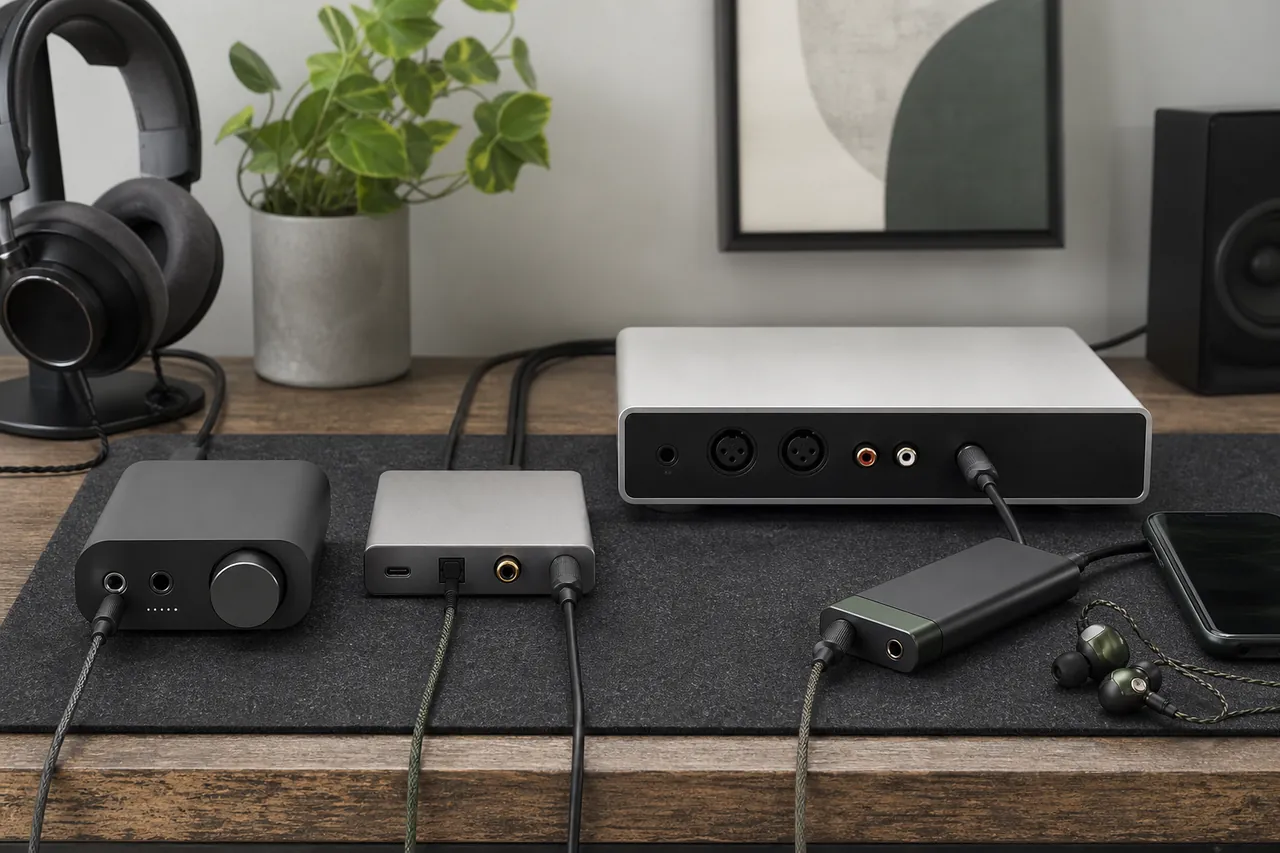
Read the rear panel first
Know which box owns each signal job
DAC
A digital-to-analog converter turns a digital audio stream into an analog electrical signal.
That signal still needs a headphone amplifier, powered speakers, or an amplifier and passive speakers.
Identify the digital source and the analog destination before selecting a box.
A DAC alone does not necessarily drive headphones or speakers.
DAC/headphone amp/preamp
A combined unit may convert digital audio, power headphones, and control line-output volume.
These three jobs are separate even when one chassis performs them.
Check which outputs follow the knob and which can be fixed.
“Amp” on a DAC usually means headphone or preamp duty, not passive-speaker power.
USB host and USB audio device
The phone, computer, or console acts as host; the DAC is the audio device.
The source must support USB audio and provide the correct data/power behavior.
Confirm operating system, USB Audio Class mode, driver, connector, and power needs.
A cable that charges is not automatically wired for data or host operation.
S/PDIF optical and coaxial
Two cable formats can carry a digital audio signal from a TV, CD transport, or streamer.
They avoid USB but have different connector and format ceilings.
Match the exact source output to one DAC input and set the source to supported PCM first.
RCA-shaped coaxial digital is not an analog RCA input.
Fixed and variable line output
Fixed sends a standard level; variable follows the DAC's volume control.
A fixed output suits an integrated amplifier input, while variable can control a power amp or powered speakers.
Choose one volume authority and start at minimum before changing modes.
Feeding a full fixed level into powered speakers set high can be dangerously loud.
Balanced connection
Balanced analog links use separate signal conductors and may reject common interference in suitable equipment.
XLR line outputs and 4.4 mm headphone outputs serve different destinations.
Use only a cable wired for the exact output and receiving input.
A plug adapter does not convert every single-ended headphone into a balanced load safely.
Gain, output power, and output impedance
Gain sets voltage amplification; power depends on the headphone load; output impedance affects electrical matching.
Sensitive IEMs need low noise and useful low-level range, while some headphones need more voltage or current.
Start with low gain, check maker guidance, and audition with your exact headphones.
The largest milliwatt number is not a universal quality score.
Sample rate and bit depth
They describe how digital audio is represented and the formats an input can accept.
USB, optical, and coaxial ceilings often differ on the same DAC.
Verify your normal service, files, and source output rather than buying for the largest badge.
A higher supported number does not prove an audible improvement.
How the shortlist was built
Topology earns a lane; chip branding does not
We required a current exact-model trail, a practical support path, and at least one active authorized order route. Crutchfield supplied comparable US stock and review signals for iFi and Cambridge Audio. FiiO's official parameter page and EU store established the K11 R2R configuration and current European orderability. Sweetwater and Thomann were checked as default music-store anchors but did not supply a stronger exact-model trail for this field.
We did not rank converter chips, filters, R2R versus delta-sigma architecture, or maximum sample rate by presumed sound. Those are designs and settings to audition. The retained set instead spans four connection problems. Review counts show market presence, not that a stranger's headphones, room, volume, or expectations match yours.
Fast comparison
Choose the box whose unused ports stay unused
| DAC | Digital inputs | Analog/headphone outputs | Volume role | Power | Do not choose when |
|---|---|---|---|---|---|
| iFi ZEN DAC 3 | USB-C only | RCA + 4.4 mm line; 6.35 + 4.4 mm headphones | Fixed or variable line | USB or optional 5 V DC | You need optical/coaxial/Bluetooth |
| FiiO K11 R2R | USB-C, optical, coaxial | RCA line/pre; 6.35 + 4.4 mm headphones; coax out in USB mode | Line or pre mode | External DC supply | You need Bluetooth or XLR line |
| DacMagic 200M | USB-B, 2 optical, 2 coaxial, Bluetooth | RCA + XLR line; 6.35 mm headphones | Fixed or variable line | External 12 V supply | You need 4.4 mm headphones or portability |
| iFi hip-dac 3 | USB-C data | 3.5 + 4.4 mm headphones | Headphone volume only | Internal battery; separate USB-C charge | You need speaker line outputs or wireless |
Match the system boundary
Four DACs for four wiring diagrams
USB desktop
iFi ZEN DAC 3
ZEN DAC 3 fits a computer desk where one USB-C input, powered speakers or an amplifier, and wired headphones share one compact box. Its rear RCA and 4.4 mm line outputs can be fixed or variable; front 6.35 and 4.4 mm headphone sockets, PowerMatch gain, and XBass+ cover common desktop switching.
A coherent USB-only control center with both line and headphone duties.
No optical, coaxial, or Bluetooth input; an external 5 V supply is optional and not included in the checked US bundle.
Avoid if: a TV, CD transport, or streamer must connect without USB.
Alternative: K11 R2R adds optical and coaxial; DacMagic 200M adds those plus Bluetooth.
Official manual/specification data and current 20-review Crutchfield stock are strong; no sonic preference is inferred.
Compact multi-input value
FiiO K11 R2R
K11 R2R is the economical desktop hub when USB, optical, and coaxial inputs matter. It can feed headphones through 6.35 or 4.4 mm, or an amplifier/powered speakers through RCA in line or preamp mode. OS/NOS is an auditionable processing choice, not a promise that the resistor ladder wins.
Three wired input types, three gain levels, display, and selectable line/pre behavior in a 147 mm chassis.
No Bluetooth and no balanced XLR line output; menu state must be verified before changing destinations.
Avoid if: you want a component DAC with two simultaneous source families and long balanced line runs.
Alternative: DacMagic 200M provides dual optical/coaxial banks, Bluetooth, and XLR.
FiiO's exact parameter page and in-stock EU distributor listing support configuration and currency; US seller terms need invoice verification.
Component hi-fi and powered speakers
Cambridge Audio DacMagic 200M
DacMagic 200M is the strongest system organizer here: two optical and two coaxial inputs, USB-B, aptX Bluetooth, selectable filters, RCA and XLR analog outputs, and fixed or variable control. Use fixed into an integrated amplifier; use variable only when it is intentionally the preamp.
Multiple permanently connected sources and balanced line outputs reduce daily cable swapping.
It is the largest and heaviest choice, uses a 6.35 mm headphone output only, and its Bluetooth generation is older v4.2.
Avoid if: one USB source and headphones are the whole system.
Alternative: ZEN DAC 3 is smaller and simpler; K11 R2R keeps optical/coaxial at lower cost.
Current official product/manual pages, in-stock Crutchfield status, 155 reviews, and UK direct ordering strongly support the lane.
Wired portable headphones
iFi hip-dac 3
hip-dac 3 belongs between a USB-audio phone/computer and wired headphones. Its 135 g battery chassis separates USB-C data and charging, offers 3.5 and 4.4 mm headphone outputs, and includes PowerMatch plus iEMatch for different sensitivity ranges. It is not a wireless receiver or speaker preamp.
Phone power is not the only power source, and the included data cables make the intended wired role explicit.
It adds a second charged object and cable stack; there are no line outputs, optical input, or Bluetooth.
Avoid if: pocket simplicity means one wireless connection or your destination is powered speakers.
Alternative: ZEN DAC 3 stays on a desk and adds line outputs.
Official product/manual records and current 18-review Crutchfield stock support the exact model; battery life remains condition-dependent.
Prove the chain on paper
Three worksheets that prevent a silent or dangerously loud system
Source-to-output matrix
- Write each source and its exact digital output.
- Assign one compatible DAC input and cable.
- Write the analog destination: headphones, powered speakers, integrated amp, or power amp.
- Assign the exact output and connector.
- Mark source format/driver and required power.
- Cross out every unassigned port; do not pay to imagine using it.
A row missing one endpoint is not a working system.
Single volume authority card
- Integrated amplifier: DAC fixed, amplifier variable.
- Powered speakers with remote: choose speaker or DAC control, document the other setting.
- Power amp: DAC variable, initial level minimum.
- Headphones: DAC headphone knob, low gain first.
- Write the startup and shutdown order beside the system.
Tape the chosen mode near the rear-panel switch until every user knows it.
Silence-before-upgrade ladder
- Confirm the source is playing to the named output device.
- Set a supported PCM format and disable exclusive mode temporarily.
- Select the correct DAC input and output mode.
- Try a known-good data cable, not a charge-only cable.
- Test headphones at low gain, then the line destination at minimum volume.
- Record hum/noise by input and power arrangement before buying accessories.
Change one link at a time; a format badge does not diagnose silence.
Physical and support facts
Measure the box, power supply, and cable bend
| Product | Size/weight | Construction | Manufacturing origin | Brand | Warranty/support |
|---|---|---|---|---|---|
| iFi ZEN DAC 3 | 158 × 115 × 35 mm; 456 g | Compact desktop metal chassis; Burr-Brown conversion; separate line/headphone sections | Exact unit country not disclosed; iFi says production is overseas | iFi audio, Southport, UK; launched 2012; desktop and portable digital audio | One year US/UK; two years EU stated on official store; local law applies |
| FiiO K11 R2R | 147 × 133 × 32.3 mm including feet; about 420 g | Desktop chassis; FiiO-developed 24-bit R2R network; display and encoder knob | Exact unit factory not itemized; FiiO designs/produces in Guangzhou, China | FiiO, Guangzhou, China; established 2007; players, DAC/amps, headphones | FiiO EU listing states two-year official coverage and post-warranty service; confirm seller/region |
| Cambridge Audio DacMagic 200M | 215 × 52 × 191 mm (W × H × D); 1.2 kg | Half-width component chassis; dual ESS ES9028Q2M DACs; external supply | Not disclosed for exact current unit | Cambridge Audio, London, UK; established 1968; hi-fi electronics and speakers | Two years in UK, US, Hong Kong, and Germany through authorized channels; other regions vary |
| iFi hip-dac 3 | 102 × 70 × 14 mm; 135 g | Aluminum portable chassis; 2,200 mAh lithium-polymer battery | Exact unit country not disclosed; iFi says production is overseas | iFi audio, Southport, UK; launched 2012; portable and desktop audio | Official manual lists 12 months or longer where local law requires |
Audition the whole chain
Level matching matters more than a quick switch
A slightly louder presentation is often mistaken for a better one. When comparing a candidate with an existing output, use the same music segment, same headphones or downstream amplifier, no EQ, and levels matched as closely as practical. Ask another person to switch inputs without identifying them when the system allows it. Repeat at normal listening level over several tracks. This is a buyer check, not a laboratory result.
Noise and hum deserve their own trial. Sensitive earphones expose hiss; desktop USB power can reveal ground or computer-noise problems; powered speakers can amplify a bad gain structure. Test every retained input, fixed/variable mode, low-gain range, channel output, and sleep/wake behavior before the return window closes. Do not buy an accessory first and diagnose later.
Invoice and setup questions
Make compatibility part of the order
- Which power supply, data cables, adapters, and drivers are included in this regional box?
- Which outputs are fixed, variable, simultaneous, or muted when headphones connect?
- Does the seller support the exact phone, console, television, or operating system?
- What is the return policy after software installation and opened cable bags?
- Who handles firmware recovery and warranty service in this country?
- Can the seller write the model, serial number, warranty duration, and bundle contents on the invoice?
For powered speakers or a power amplifier, ask the seller to demonstrate startup from minimum volume and the switch between line and preamp mode. Keep a known-good analog fallback until the DAC passes wake, restart, and source-switch tests.
Source trail
Specifications, manuals, support, and current order checks
- iFi ZEN DAC 3 product/specifications
- ZEN DAC 3 manual
- Crutchfield ZEN DAC 3 listing
- FiiO K11 R2R parameters
- FiiO EU K11 R2R listing
- FiiO company record
- DacMagic 200M product page
- DacMagic 200M manual
- DacMagic 200M technical specifications
- Crutchfield DacMagic 200M listing
- Cambridge Audio warranty
- Cambridge Audio history
- iFi hip-dac 3 product/specifications
- hip-dac 3 manual
- Crutchfield DAC stock/review comparison
- iFi company and support record
- Sweetwater converter category anchor
- Thomann converter category anchor
Found a changed port, firmware requirement, or regional bundle? Send Consordini the exact model and source device.