Choose the control surface and signal path first. Let the player choose the action only after the controller fits the room, pedals, instruments, and software.
We checked current manufacturer specifications, manuals, support pages, firmware notes, and specialist-retailer stock on . We did not play or measure these keyboards. Feel, velocity response, key noise, software behavior in your exact system, and long-term reliability still need a personal check.
Bottom line: start with the Arturia for faders and pads, Roland for a shallow piano-oriented desk, Studiologic for four-zone routing, or M-Audio for many physical controls and pedal inputs. Do not buy any of them as a self-contained piano: they need a sound source and an audio path.
Avoid this category if: the player needs speakers and dependable stand-alone piano sound with no computer or sound module.
Verify before ordering: measure width, depth, rear-plug clearance and stand support; then write down the exact computer, DAW, virtual instrument, pedal plugs, and audio output.
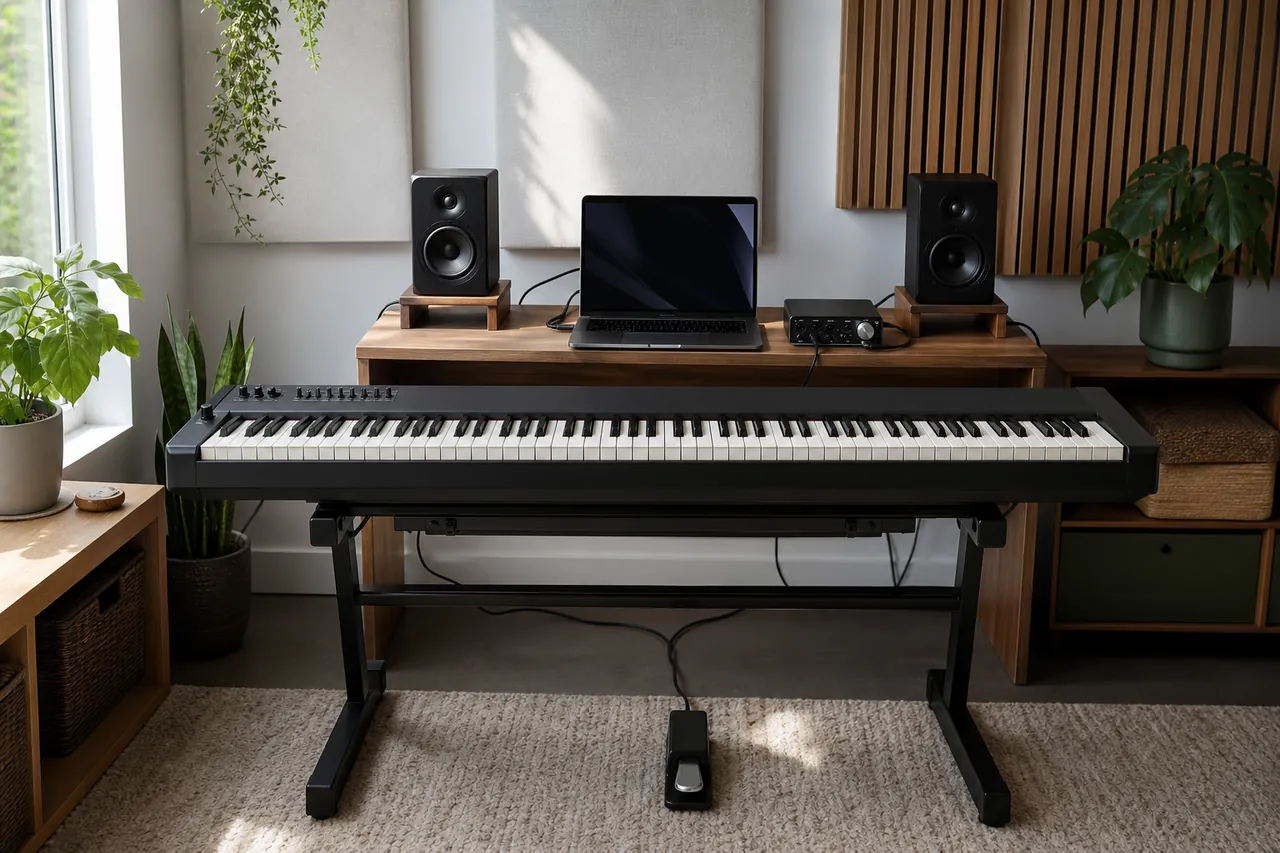
AI-generated illustration; it shows a generic controller setup and is not evidence that we tested these products.
Read the control language
Terms that change the rig you are buying
A proxy buyer should be able to explain these without saying one action is universally “more realistic.” Each label narrows a test; none replaces the player's hands.
Hammer action
Keys use a mechanism intended to add resistance and a piano-like moving mass.
It matters when piano technique is central, but named mechanisms can still respond differently.
Ask the player to repeat soft notes, chords and fast repetitions on the exact unit.
“Weighted” is not a measured comfort or quality score.
Velocity curve
A mapping between how a key is struck and the MIDI velocity value sent.
It can make a software piano reach loud or soft layers too early or too late.
Load the intended instrument and compare several curves with one familiar passage.
A curve changes the mapping, not the physical key mechanism.
Aftertouch
Control data produced by pressing further after a note is already down.
It can shape vibrato, dynamics or effects without leaving the keys.
Confirm the instrument actually responds and whether the controller sends channel or per-note data.
Aftertouch does not make a controller more piano-like.
Zone
A section of the keyboard assigned to a different MIDI channel, sound or range.
Zones let a player split bass, piano and strings or address several hardware instruments.
Sketch the required split points and channel numbers before comparing zone counts.
A four-zone specification does not mean four built-in sounds.
DAW mapping
A preset assignment between controls and recording-software functions.
Good mapping can reduce mouse use for transport, mixer and plug-in changes.
Check the exact DAW version and list which controls are mapped without a custom setup.
“Integrated” rarely means every plug-in and parameter is covered.
Five-pin MIDI
The round hardware MIDI connection used by many sound modules and synthesizers.
It can route notes without making a computer the middle of the chain.
Check whether the controller has MIDI out, whether it needs separate power, and which channels the destination expects.
MIDI carries performance instructions, not audible sound.
Pedal input
A socket for sustain, switch, continuous or expression pedals.
The count and electrical behavior determine whether a piano-style or performance pedal setup works.
Match plug size, polarity, continuous support and any required half-pedaling specification.
Three sockets do not guarantee compatibility with every three-pedal unit.
Bus power
The USB connection supplies operating power as well as data.
It can simplify a computer rig but may not power stand-alone MIDI use.
Read the manual for the exact computer-free setup and add the specified adaptor if required.
A USB connector alone does not promise power from every tablet or hub.
Reject before ranking
Compare workflow, then schedule the keybed test
Read across the lane that matches the rig. The dimensions are chassis dimensions, not a promise that every stand supports the keyboard correctly.
Decision-changing current specifications
Model
Best starting lane
Controls
Routing and pedals
Footprint / mass
Main rejection
Arturia KeyLab 88 mk3
DAW mixing and broad software control
9 faders, 9 encoders, 12 pads
MIDI out; sustain plus aux/expression
1295 x 323 mm; 15.7 kg
Paying for controls you will not use
Roland A-88MKII
Shallow piano-oriented desk
8 knobs, 8 pads; no faders
MIDI in/out; damper, FC1, FC2
1429 x 274 mm; 17.5 kg
Too wide or too sparse for mixer work
Studiologic SL88 mk2
Four-zone hardware/software routing
6 encoders, transport, two sticks
MIDI in/out; 3 configurable pedals
1265 x 310 mm; 13.3 kg
No pads or faders
M-Audio Hammer 88 Pro
Control-dense lower-cost studio
9 faders, 8 knobs, 16 pads
MIDI in/out; 3 switches plus expression
1422 x 282 mm; 18.5 kg
Heaviest option in this shortlist
Controller or digital piano?
Choose a controller when software instruments, hardware modules, MIDI routing and assignable controls are the center of the setup. Choose a digital piano when the buyer needs immediate onboard sound, headphone practice without booting another device, speakers, or a furniture-style three-pedal system. A digital piano may still send MIDI, but that does not make its panel a DAW control surface. Conversely, bundled piano software does not give a controller speakers or dependable computer-free sound. This boundary often saves more money than comparing another keybed specification.
Four different jobs
The shortlist, with the reason to walk away
For producers who will touch the mixer
Arturia KeyLab 88 mk3
The KeyLab earns its lane by putting nine faders, nine encoders and twelve pads beside a fully weighted TP/110 keybed with aftertouch. That arrangement is materially different from a piano-first controller when the player regularly balances tracks, rides expression, triggers clips or changes mapped instrument parameters.
Useful advantage: the broadest balanced collection of mixer and performance controls here, plus a laptop plate and music rest in the stated box contents.
Real drawback: its 323 mm depth is the largest in the shortlist, and the value falls quickly when the buyer stays at the mouse or uses software outside the supported mapping path.
Avoid if: the brief is simply “weighted keys into one piano plug-in.” The Roland is shallower; the Studiologic is lighter.
Closest alternative: choose the Hammer 88 Pro when more pedal sockets and sixteen pads matter more than the Arturia ecosystem and bundled mounting accessories.
Verify: exact DAW mapping, expression-pedal behavior, stand depth and the player's response to the TP/110 action.
For a shallow piano-oriented desk
Roland A-88MKII
At 274 mm deep, the Roland leaves more desk depth than the other three while keeping MIDI in/out, three pedal inputs, three zones, eight knobs and eight pads. Its controls are enough for targeted assignments without turning the top panel into a mixer.
Useful advantage: shallow front-to-back fit and three pedal sockets make a clean piano-and-hardware layout plausible.
Real drawback: it is the widest chassis at 1429 mm and has no faders. Its MIDI 2.0 capability also depends on current firmware and compatible OS/software; do not pay for the label alone.
Avoid if: the player expects track faders, a large display or automatic deep plug-in browsing.
Closest alternative: choose KeyLab for a denser DAW surface or SL88 mk2 for four zones and less carry weight.
Verify: stand width, current firmware, required control-app support, pedal compatibility and the exact regional warranty.
For splits, layers and external modules
Studiologic SL88 mk2
The SL88 mk2 is the routing specialist: four programmable zones, MIDI in/out, three flexible pedal inputs, transport keys and six encoders in the lightest chassis here. It also exposes audio and headphone outputs for its Numa Player integration, but those outputs should not be confused with a general replacement for every studio interface.
Useful advantage: 13.3 kg mass and four zones suit a player who must address several software or hardware destinations.
Real drawback: there are no pads or faders, and its strongest workflow depends on planning channels, programs and zones rather than receiving a ready-made mixer surface.
Avoid if: finger drumming or tactile DAW mixing is central.
Closest alternative: choose Hammer 88 Pro for pads/faders and four assignable zones, accepting another 5.2 kg.
Verify: Numa Player support on the intended device, audio-driver needs, accessory rail parts, stand contact points and pedal polarity.
For many controls and pedal assignments
M-Audio Hammer 88 Pro
The Hammer combines nine faders, eight knobs, sixteen pads, transport, four pedal inputs and five-pin MIDI in/out. That makes it a credible complete control surface when the buyer can tolerate 18.5 kg and is prepared to maintain DAW and preset mappings.
Useful advantage: the largest pad count and pedal-input count in this shortlist, with documented computer-free MIDI routing.
Real drawback: it is the heaviest choice and its manufacturer support page does not publish a simple global warranty duration. Seller terms need to be captured before purchase.
Avoid if: one person will move it often, or the buyer wants a minimal top panel.
Closest alternative: choose Arturia for a lighter, more curated DAW/instrument control system; choose Studiologic for the lightest four-zone chassis.
Verify: DAW mode for the exact software version, power supply for computer-free use, pedal wiring and written warranty/service route.
6. Stand and powerSupported width/depth/load: ______ Rear clearance: ______ Power source: ______
Pass: every arrow ends at a named socket or application. Stop: “speakers in the keyboard,” “any pedal,” or “it should map” appears anywhere.
Rehearse the furniture, not the marketing
Tape the chassis, then add the invisible space
1. Tape the listed width and depth on the desk or stand. Mark the stand's actual support bars, not just its advertised width.
2. Add rear clearance for straight or angled USB, MIDI, power and pedal plugs. Do not force cables against a wall.
3. Put the bench at playing height. Check knees, pedal travel, monitor sightline, music rest and laptop position.
4. Rehearse moving the listed mass from doorway to stand. Use a second person where the route or weight makes solo handling awkward.
This prevents a specific failure: an 88-key controller can fit the room numerically while its stand contacts the wrong chassis area, rear cables hit the wall, or the player cannot sit and pedal comfortably.
The proxy buyer stops here
Give the player a repeatable ten-minute test
Load the intended piano or instrument, use the same velocity curve and listening level, and compare the individual units with: five very soft repeated notes; a quiet chord progression; rapid repetitions around middle C; a wide dynamic passage; and the actual sustain/continuous pedal. Record missed soft notes, unintended loud layers, fatigue, mechanical distraction and whether a different curve repairs the problem.
Do not average those observations into a fake universal score. A player who rejects the action has rejected the controller, however good its routing looks on paper.
Due diligence after the shortlist
Keyboard build, brand and support facts
These fields support planning, not quality ranking. Manufacturing origin remains undisclosed for every exact model reviewed.
Exact-model ownership details checked July 18, 2026
Product
Size and weight
Construction
Manufacturing origin
Brand background
Warranty / support
Arturia KeyLab 88 mk3
1295 x 323 x 113 mm; 15.7 kg
Fatar TP/110 hammer action; manufacturer describes wood/aluminum chassis elements
Not disclosed for this exact model
Arturia, based in France and established in 1999; hardware/software music instruments
Arturia terms describe authorized-retailer conditions and two-year EU conformity context; confirm local coverage
Roland A-88MKII
1429 x 274 x 119 mm; 17.5 kg
PHA-4 Standard action; exact material bill is not disclosed
Not disclosed for this exact model
Roland, based in Hamamatsu, Japan and established in 1972; electronic instruments
Regional duration not verified; capture the seller and Roland country terms before purchase
Studiologic SL88 mk2
1265 x 310 x 123 mm; 13.3 kg
Fatar TP/110 hammer action; magnetic accessory rail; casing material not stated
Not disclosed for this exact model
Studiologic/Fatar, based in Recanati, Italy; controller and digital keyboard specialist
Two years stated, dealer-first service; local rules can vary
M-Audio Hammer 88 Pro
1422 x 282 x 127 mm; 18.5 kg
Graded hammer action; chassis materials are not disclosed
Not disclosed for this exact model
M-Audio, US-rooted brand established in 1988 and now under inMusic; MIDI/studio hardware
Regional repair routes are documented; duration not verified on current manufacturer page
A deliberate exclusion
Why the Kontrol S88 MK3 is not a recommendation here
The Kontrol S88 MK3 remains orderable and has a technically distinctive Kontakt/NKS workflow. Native Instruments moved through formal insolvency/restructuring proceedings in 2026; inMusic then signed a definitive acquisition agreement and said operations continued normally while completion remained subject to conditions. Because software integration and account/service continuity are central reasons to choose this controller, the ownership transition affects the buying case rather than a peripheral detail. Recheck the acquisition, integration and support position before considering it.
How these were chosen
Current product, distinct job, traceable drawback
We mapped current 88-key master-keyboard listings at Thomann and Sweetwater, then used manufacturer pages, manuals, firmware and support documents for decision facts. Retail stock, category rank and review volume helped establish current market presence; they did not prove feel or quality. A product needed a distinct lane, current orderability, a meaningful rejection condition and enough primary evidence to explain the complete system.
Before payment
Capture the versioned facts
Photograph or save the exact model name, retailer stock state, warranty text and return window.
Confirm DAW, operating system, firmware, editor and virtual-instrument versions together.
Check every pedal by exact model and continuous/switch behavior.
Measure stand contact, rear plugs and seated pedal position.
Let the end player reject the individual action without having to defend a specification label.
Sources checked
Product, manual, support and retailer records
Use these to verify the field that controls your decision. Retail availability can change after the research date.